


FaceTec Demo
3.536.00 Reviews
App Specs
- Version
- 10.1.2-dev-2026052901
- Updated On
- License
- Free
- Downloads
- 50,000+
- Developer
- FaceTec, Inc.
- Categories
- Libraries & Demo
- Platform
- Android
Screenshots
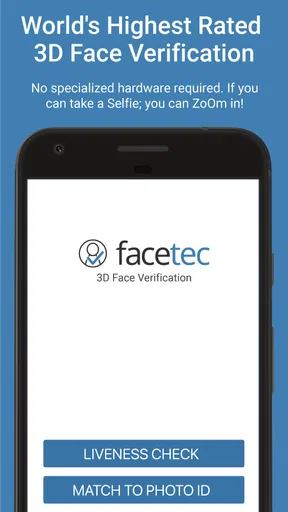
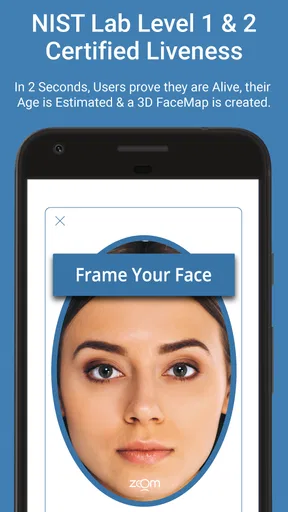
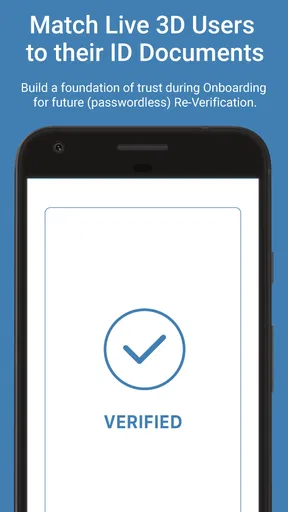
 Analysis by AppCompare
I approached FaceTec Demo as a hands-on look at the steps behind face-based identity checks, rather than as a tool I would use to manage everyday accounts. That distinction matters: it is a free demonstration app from FaceTec, Inc., in the libraries and demo category, and its value is in letting you explore a particular authentication flow. It has a 3.5 average from around 300 ratings, with over 50,000 installs, so it has attracted a modest but established audience. If you are curious about what happens between opening a camera and completing a face check, that is the question worth bringing to it.
Who benefits from trying a demonstration
I think the best fit is someone who wants to understand face authentication firsthand: a curious phone user, a student exploring identity technology, or a product team member who needs a simple demonstration to discuss with colleagues. The app is marked Everyone, and its current version is 10.1.2-dev-2026052901; Android support starts at version 5.0. Those details make it broadly approachable, although an older compatible phone may not offer the same camera experience as a newer one.
It is less suitable if you simply need to sign in to a bank, unlock a device, or prove your identity to a service. A demo is not a replacement for the authentication methods those services actually support. I would also skip it if you expect a general-purpose camera app or a complete lesson in biometrics. Its narrow focus is useful precisely because it gives you a contained way to see a face-check process, not because it covers every part of digital identity.
A realistic reason to open it
Picture a short conversation with a relative who has heard that online services can verify faces and wants to know what that means in practice. Rather than trying to explain the idea with abstract security terms, you can open the demo and walk through a scan together. The useful outcome is not a new account or a saved identity credential; it is a more concrete understanding of how an app can guide a person through a face-based check.
I would treat that demonstration as a starting point for discussion, not proof that every face check is equally secure or private. A product’s real implementation depends on its own settings, policies, and surrounding safeguards. Keeping that distinction clear makes the demo more informative and avoids mistaking a technology showcase for a guarantee about another service.
Getting Started with FaceTec Demo
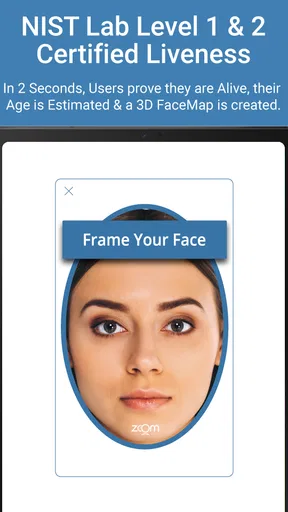
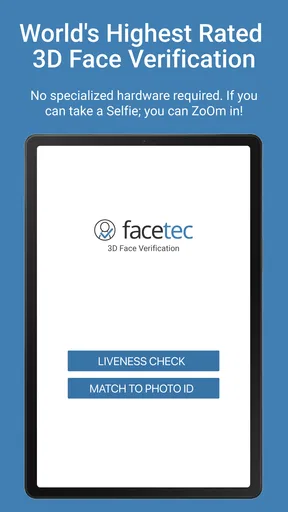
First things first, downloading the FaceTec Demo app was a breeze. It's available for both Android and iOS, which is a win-win for everyone. Once installed, you're greeted with a sleek interface that invites you to explore its features. The app doesn't waste time with complicated menus; it’s straightforward and user-friendly. I felt like a kid in a candy store ready to experiment.
Facial Recognition Features
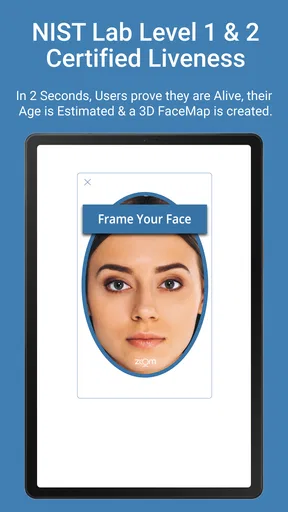
Now, onto the juicy part — the facial recognition features. This app showcases the power of 3D face authentication, which feels like science fiction. When you start the demo, the app guides you through a facial scan. It's quick, intuitive, and surprisingly detailed. The precision in capturing facial contours is impressive. I couldn't help but marvel at how accurately it identified unique facial features.
Worth Reading Before You Choose

EA SPORTS FC Mobile 26 Is a Bigger Football Game, but It Takes Time

Flipboard Shows What News Apps Must Do Beyond the Feed

Switching to Android Auto Means Rethinking Your Driving Routine

Google Calendar Makes a Crowded Week Easier to Manage

Ludo King Makes the Most of the Minutes Between Plans

Baby Panda World Brings Quick Play to Modern Phones, but Its Game Library Feels Busy
What's cooler is the app's ability to adjust to different lighting conditions. Whether you're in a dimly lit room or under bright sunlight, the app adapts, ensuring the scan remains accurate. This adaptability is crucial for real-world applications, and seeing it in action was quite enlightening.
Security and Privacy
The burning question on everyone's mind is about security. Rest easy; the FaceTec Demo app emphasizes robust security measures. It uses encrypted data to ensure your facial information stays private and secure. The app highlights the importance of privacy, making it clear that your data isn't stored or misused. In a world where data breaches are a concern, this level of security provides peace of mind.
Performance and Usability
Performance-wise, the app runs smoothly. I didn't experience any lags or crashes, which is always a plus. The interface is intuitive; even if you're not tech-savvy, you’ll find it easy to navigate through the app. The instructions are clear, and the process is seamless, making the user experience delightful.
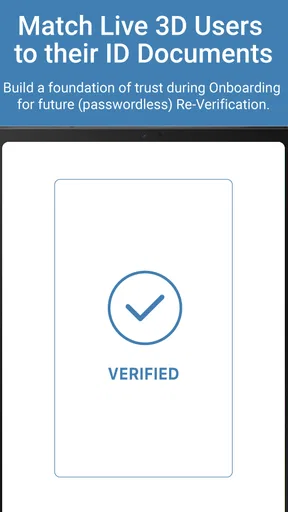
One thing I appreciated was the feedback mechanism. After each scan, the app provides feedback on the quality of the scan, helping you understand how it works. It’s like having a mini tech expert guiding you through the process.
Making sense of the result
The most useful way to read the outcome is as feedback about the capture, not as a universal verdict on who someone is. A prompt or result can help you notice whether your face was positioned well enough for the demonstration, but it should not be treated as a substitute for a service’s own identity checks. That is an important distinction when comparing this with a phone’s built-in face unlock: device unlock is designed around access to that device, while an app-based identity flow is intended to demonstrate a different kind of check.
If you are showing the demo to someone else, I would let them hold the phone and follow the prompts themselves instead of narrating every movement. That gives them a better feel for how much guidance the flow provides and where they might hesitate. Then try a second pass with the phone held more steadily and the face comfortably in view. Comparing the experience is a simple way to understand why capture conditions and clear instructions matter, without drawing conclusions the demo cannot establish.
How it differs from familiar alternatives
Compared with a password, a face check changes the interaction: there is no string to remember or type during the scan, but the person must be able to present their face to the camera. Compared with a fingerprint sensor, it is easier to demonstrate to another person because the steps are visible on the screen, yet it also depends on camera framing and the immediate environment. Neither approach is automatically best for every situation. A password manager is more useful when you need to organize logins across services, and a device’s built-in security is the sensible choice for ordinary phone unlocking.
That comparison also helps explain the app’s category. It is a focused demo in a libraries-and-demo space, not a daily productivity tool or a complete identity platform. I would use it to explore a face-based workflow or make a technical conversation less abstract, then return to the authentication method actually supported by the service I need. That limited role is not a flaw, but it does set a clear boundary on what the app can do for most people.
Where the flow can feel less simple
A guided scan may feel effortless when the camera view is clear, but that does not mean every person will find it equally comfortable. Some users may prefer not to present their face to a demonstration at all; others may be uneasy about biometric technology even when they are only exploring it. I would never pressure someone to participate just to make the demo more convincing. Letting them watch instead is a perfectly reasonable way to learn about the process.
Lighting is another practical consideration. The app’s ability to adapt is interesting, but I would still choose a place with a clear view of the face rather than deliberately testing the most difficult conditions first. If the scan feedback suggests the capture was poor, make one adjustment at a time—such as steadying the phone or changing where you stand—so it is easier to see what helped. Treating the guidance as a learning aid is more useful than repeatedly trying to force a result.
Questions worth settling before you rely on it
Is it a way to log in to other services? I would not treat it that way: it is a demonstration, while each bank, device, or website chooses its own sign-in options. Does a successful scan prove that a service’s face verification is safe? No single demo can establish that; the surrounding implementation and privacy practices matter too. And is it useful if you are not a developer? Yes, if you are curious about the user-facing steps or want to explain the general idea, though a technical audience may get more from examining how a full product integrates identity checks.
It is also reasonable to wonder whether a face-based check is more convenient than typing a password. In the moment, it can remove the need to enter one, but it asks for camera access to the interaction and may be awkward when you cannot comfortably position yourself in front of the phone. I see it as another authentication approach with different trade-offs, not a universal upgrade. For sensitive accounts, I would follow the service’s recommended options instead of choosing a method based only on how impressive a demo feels.
Real-World Applications
While this is a demo app, the potential applications are vast. Imagine using this technology for secure banking, unlocking devices, or even verifying identities online. The possibilities are endless, and the FaceTec Demo gives you a glimpse into this future.
With the increasing need for secure authentication methods, facial recognition is becoming a vital tool. This app not only demonstrates the technology but also educates users on its benefits. It’s fascinating to consider how this could revolutionize security protocols across various industries.
In conclusion, the FaceTec Demo app is a fantastic introduction to facial recognition technology. It’s user-friendly, secure, and offers a peek into the future of authentication. Whether you're a tech enthusiast or just curious about how facial recognition works, this app is a must-try. It’s not just about recognizing faces; it’s about embracing innovation and seeing how technology can enhance our everyday lives. So go ahead, give it a whirl, and get ready to be amazed!
Pros
- Exceptional facial recognition accuracy.
- Fast and seamless user verification.
- Highly secure with advanced encryption.
- User-friendly interface with clear instructions.
- Compatible with various devices and platforms.
Cons
- Requires a stable internet connection.
- Limited offline functionality.
- High battery consumption during use.
- May have privacy concerns for some users.
- Not available in all regions.
FAQs for FaceTec Demo
What is FaceTec Demo used for?
FaceTec Demo is designed to showcase the capabilities of FaceTec's biometric authentication technology. It demonstrates how facial recognition and identity verification can be seamlessly integrated into applications for enhanced security. Users can experience the technology's accuracy and speed firsthand, making it ideal for developers and businesses considering biometric solutions.
Is FaceTec Demo safe to use?
Yes, FaceTec Demo is safe to use. The app prioritizes user privacy and security, using advanced encryption to protect personal data. It complies with industry standards for biometric authentication, ensuring that your information remains confidential and secure during the verification process.
Can FaceTec Demo be used offline?
No, FaceTec Demo requires an internet connection to function properly. The app needs to communicate with FaceTec's servers to process biometric data and perform identity verification. This connection ensures accurate and efficient processing, leveraging cloud computing capabilities for optimal performance.
What devices are compatible with FaceTec Demo?
FaceTec Demo is compatible with both Android and iOS devices. It is designed to work on a wide range of smartphones and tablets that support biometric capabilities. However, for the best experience, it is recommended to use devices with the latest operating systems and hardware specifications.
How does FaceTec Demo handle user data?
FaceTec Demo follows strict data protection protocols. User data is encrypted and processed in a secure environment to ensure privacy. The app does not store biometric data permanently, and any data used during the demo is deleted after processing. Users can trust that their information is handled with the utmost care and security.


